

It’s always framed like this clean, orderly process. Day one. Welcome email. A few videos. A quiz. Maybe a shadow shift. Then, magically, someone is productive.
But in real life, onboarding looks more like this.
A new hire nodding a little too much because they don’t want to look lost. A manager repeating the same explanation for the tenth time this week. Someone forgets one step in a process and the whole thing snowballs. And then there’s the classic. They “know” the SOP, but when they’re standing in the actual environment, under time pressure, it all kind of evaporates.
That’s where spatial training comes in. And AR, specifically, is the part that makes it click fast.
Not in a futuristic, gimmicky way. More like. Oh. This is what we should have been doing all along.
This article is about how to use AR to onboard new staff in record time, what it looks like in practice, what it costs you, what it saves you, and how to roll it out without turning it into a bloated tech project nobody uses.
So what is spatial training, exactly?
Spatial training is training that happens in context. In the real space, with the real tools, real layout, and real constraints.
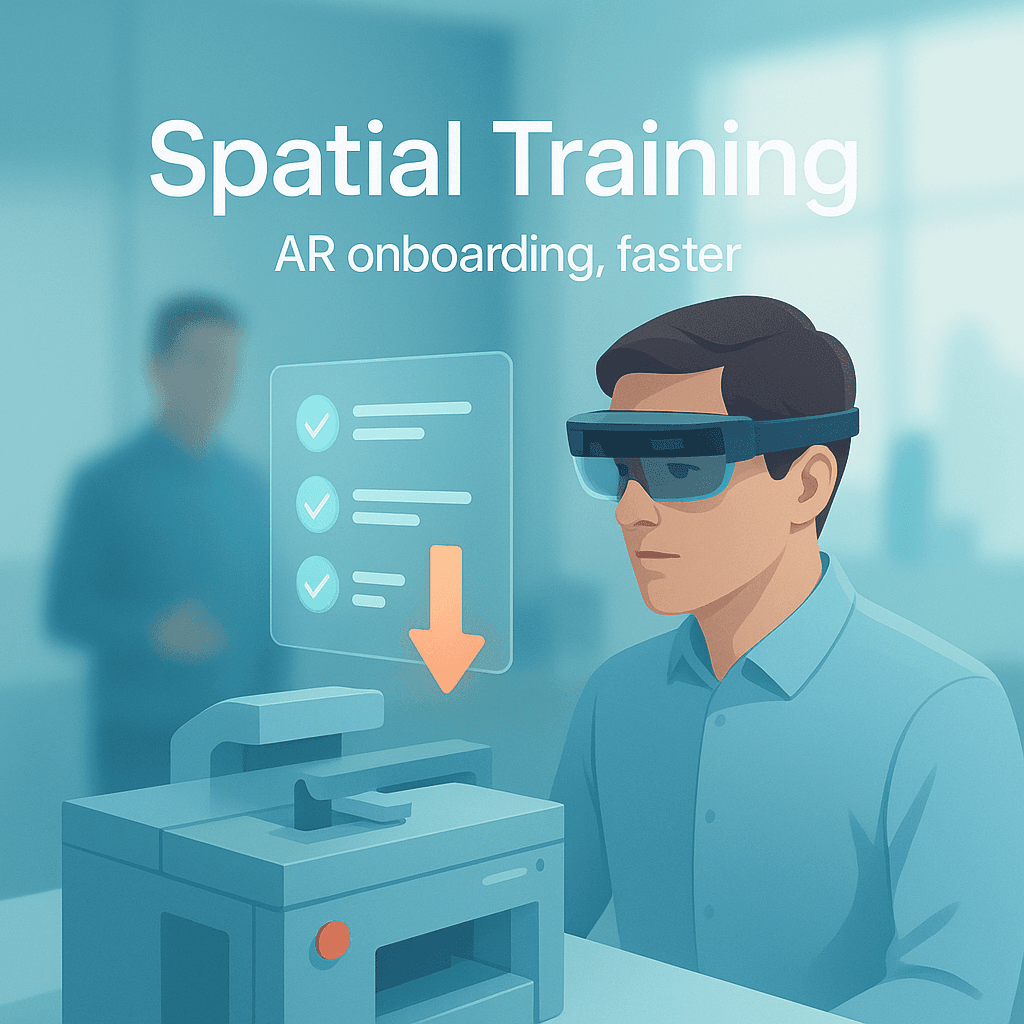
Instead of reading “Step 3: Locate the pressure release valve on the left side panel,” the learner looks at the left side panel and sees an overlay pointing at the valve. With a short instruction. Maybe a warning. Maybe a check that confirms they touched the right part.
It’s not about dumping information into someone’s head. It’s about guiding their actions while they’re building muscle memory.
And AR, augmented reality, is the delivery method that makes this possible.
AR overlays digital instructions onto the physical world, usually through:
- A phone or tablet (most common, easiest to start)
- Smart glasses (more immersive, more expensive, often better for hands free)
- Headsets (sometimes used, but VR is usually separate from AR in actual onboarding workflows)
When you do it right, AR training feels like a GPS for work tasks. It reduces the need for constant supervision, and it shortens the gap between “I watched it” and “I can do it.”
Why AR onboarding is faster, like actually faster
Let’s talk about what slows onboarding down. It’s not usually the complexity of the job on paper. It’s the friction of translating instructions into the physical environment.
New staff struggle with:
- Where things are
- What “left side” means when the machine is rotated or mirrored
- The order of operations, especially when steps are conditional
- Safety boundaries and “invisible rules” experienced workers just know
- Anxiety, which makes recall worse, not better
AR helps because it removes translation.
It takes knowledge that lives in documents and in veteran employees’ heads, and pins it to the environment.
So the trainee is not trying to remember 14 steps while also scanning the room. They just do the step in front of them, confirm it, then move on.
That’s why it’s faster. Not because AR is flashy. Because it makes the work itself the interface.
The best use cases for AR onboarding (and the ones that flop)
AR is not a magic fix for everything. Some training is best done in a conversation. Some is best in a classroom. Some is best in a simulator.
But AR shines when onboarding includes physical tasks, sequence dependent workflows, or environments where mistakes are expensive.
Great fits
1. Equipment operation and setup Turning machines on, calibrating, loading materials, changeovers, cleaning routines. Anything with steps in order, and things that must be checked.
2. Warehousing and logistics Pick paths, packing standards, labeling rules, scan sequences, safety zones. AR can guide people through the building with fewer wrong turns and fewer “Wait, where is aisle 7 again?” moments.
3. Retail and front of house Opening and closing procedures, POS workflows, food safety checks, merchandising standards. AR can turn a store into a guided training course.
4. Healthcare support roles Not diagnosing, obviously, but workflows like room turnover, equipment cleaning, supply stocking, patient intake steps. Anything procedural where consistency matters.
5. Field service When staff are remote and can’t rely on a senior person hovering nearby. AR can provide step guidance, plus remote assist when things get tricky.
Usually a bad fit
1. Soft skills training Conflict resolution, customer empathy, leadership. AR can support scenarios, sure, but it’s rarely the best primary method.
2. Purely conceptual material Compliance policies, company history, benefits enrollment. Do those in a normal LMS. AR is overkill.
3. Processes that change every week If your workflow is constantly shifting and nobody can keep SOPs updated, AR won’t save you. It will just become another outdated layer. AR works best when the process is stable enough to standardize.
What AR onboarding looks like, step by step
Here’s a simple example. Let’s say you’re onboarding a new hire in a manufacturing plant for a routine maintenance check.
Instead of a PDF and a supervisor walking them through it every time, you build an AR flow like this:
- Start task The trainee scans a QR code on the machine, or selects the machine from a menu.
- Safety check AR overlay highlights the emergency stop. The trainee taps “Confirmed.” Optional quick quiz. “What do you do if you see X?”
- Locate components The overlay points to the access panel. Then bolts. Then latch. This matters because new people waste time just finding stuff.
- Perform the step Instruction appears: “Open panel. Inspect belt tension. If frayed, tag out.” The trainee has to select: “Looks OK” or “Issue found.”
- Conditional path If “Issue found,” AR shows the tag out procedure and prompts a photo for documentation. This is a big deal. It standardizes what “report it” actually means.
- Completion Checklist summary. Log submitted. Supervisor gets notified if something needs review.
That’s it. That’s the whole concept.
You’re turning tribal knowledge into guided performance.
The hidden advantage: you stop relying on your best people as full time trainers
This part is touchy, but it’s real.
Most companies “onboard” by borrowing their best employees.
The problem is, your best employees are usually the worst people to pull away from production. They are the ones who keep everything running. And when you make them train constantly, you get:
- Inconsistent instruction (everyone teaches it slightly differently)
- Burnout
- Lower throughput
- A quiet resentment toward new hires, which is not great for culture
AR onboarding doesn’t remove mentors. It just changes what mentors do.
Instead of repeating the basics, they handle edge cases, judgment calls, and coaching. The stuff humans are actually good at.
AR vs traditional training: where the time savings come from
If you want to explain AR onboarding to leadership without sounding like you’re pitching sci fi, focus on the actual time drains AR removes.
1. Less “search time” New hires spend a ton of time just locating tools, parts, stations, documents. AR can point, label, and guide.
2. Fewer repeated explanations One AR module can replace dozens of small interruptions. It becomes self serve training.
3. Faster error recovery When someone makes a mistake early, they often keep making it. AR helps catch mistakes at the step level. Before they compound.
4. Better first week confidence Confidence matters. When people feel lost, they slow down and avoid tasks. AR provides structure, which tends to make new staff attempt tasks sooner.
5. Standardization When training is standardized, performance becomes predictable. That alone reduces ramp time because managers stop improvising.
What you need to build AR onboarding without overcomplicating it
A lot of AR projects fail because they start with the wrong question.
They start with: “What platform should we buy?” But the real question is: “What task are we trying to reduce to a repeatable sequence?”
Start small. Start with one workflow.
Here’s the minimum setup that works in most industries.
1. Pick one high impact workflow
Choose a workflow that is:
- Frequent (happens often)
- Costly when done wrong
- Mostly stable
- Teachable in steps
Good starter examples: opening procedures, changeovers, inventory receiving, end of day closing, equipment startup.
2. Record what the expert actually does
Not what the SOP says. What they actually do.
This is where you catch the little things like. They always check the gauge twice. They always listen for a certain sound. They always place a tool on the right side because left side is a trip hazard.
You can capture this with simple video walkthroughs first.
3. Convert it into a task flow
Think in terms of:
- Step
- What the trainee needs to see
- What they need to do
- How they confirm they did it
- What happens if something is wrong
AR works best when you include confirmation points. Not constant quizzes, but enough to prevent silent failure.
4. Decide the device: phone first, glasses later
Most teams should start with mobile AR because:
- Everyone already has the hardware
- It’s cheaper
- It’s easier to roll out and support
Smart glasses become more attractive when hands free matters, like field service, assembly, complex maintenance, sterile environments.
But starting with glasses often slows everything down. Procurement, security reviews, battery issues, comfort complaints. It’s a lot.
5. Build for the environment you actually have
Factories are loud. Warehouses have bad WiFi in corners. Retail stores have customers walking through your training area. Lighting changes. Surfaces are reflective. Labels wear out.
AR content needs to be tested in real conditions, not just at a desk.
6. Add remote assist for edge cases
AR onboarding is great for routine tasks. But new staff still hit weird situations.
Remote assist lets a trainee call a supervisor or expert, show their camera view, and get guidance in real time. Sometimes with annotations on screen.
This can massively reduce the time to resolve issues, especially in field work.
Measuring “record time” without making up numbers
If you’re serious about this, measure it properly. Not vibes.
Here are practical metrics that usually show improvement when AR onboarding is implemented well:
- Time to first independent task completion
- Time to reach baseline productivity (whatever that means in your role)
- Error rate in first 30 days
- Rework incidents, returns, scrap, safety near misses
- Supervisor time spent on repetitive instruction
- Confidence scores from new hires (quick weekly check ins)
- Retention at 30, 60, 90 days (this is often overlooked)
The retention part matters because onboarding isn’t just training. It’s how people decide whether they belong and whether they can succeed here.
If AR reduces chaos and confusion in week one, people stick around.
Common mistakes that make AR onboarding feel useless
I’ve seen a few patterns. The tech is fine, but the execution is messy.
Mistake 1: Turning AR into a floating PDF If you just copy your SOP into an AR viewer, nothing changes. The value comes from spatial cues, visual guidance, confirmation checks.
Mistake 2: Too much text AR is not meant for paragraphs. Keep steps short. Use visuals. Use arrows. Use highlights. Use icons. Let people move.
Mistake 3: No update owner Processes change. If nobody owns updates, the AR module becomes wrong. Then trainees stop trusting it. Then adoption dies quietly.
Assign an owner. Even if it’s one person who spends two hours a month updating content.
Mistake 4: Forgetting the why If your AR flow tells people what to do but never explains why a step matters, they will skip steps the second they feel rushed.
Add small context notes, especially for safety and quality checkpoints.
Mistake 5: Making it optional with no cultural support If managers don’t care, nobody uses it. You need supervisors to reinforce it early. “Use the AR checklist for your first 10 runs.” Simple.
A simple rollout plan that doesn’t cause chaos
Here’s a rollout approach that works without turning into a six month initiative.
Week 1: Choose one workflow, one location
Pick a single site and one task. Build a small pilot.
Week 2 to 3: Build the AR module and test it in the real space
Test with one experienced worker and one brand new person if possible. You’ll learn more from the new person in 15 minutes than from five meetings.
Week 4: Pilot with a handful of new hires
Have them complete the task with AR plus a light mentor presence. Collect feedback. Watch where they hesitate. Those hesitations are your edits.
Week 5: Update, then expand to the next workflow
Don’t scale until the first one feels genuinely helpful. Not perfect. Helpful.
Month 2 to 3: Add analytics and tighten standards
Once adoption is real, add more measurement and integrate with your LMS or HR systems if needed.
Slow is smooth. Smooth is fast. Yeah it’s a cliche. Still true.
Where this is going next (and why it matters)
AR onboarding is already useful today with basic overlays and checklists.
But it gets more powerful when it connects to:
- Live equipment data (so steps adapt to actual machine state)
- Competency tracking (so training adjusts to the person)
- Computer vision (so the system can verify “yes, you tightened the correct bolt”)
- Knowledge bases (so trainees can ask “what does this warning mean?” and get a specific answer)
That’s the bigger picture. Training that’s not a one time event. Training that’s embedded into work.
And if you’re hiring fast, or dealing with high turnover, or just tired of onboarding being a constant bottleneck, this matters a lot.
Because onboarding isn’t supposed to be a test of survival.
It should be the shortest path from new to capable.
Wrap up
If you want to onboard new staff faster, you don’t need more slide decks. You need less translation.
AR based spatial training works because it puts instruction inside the environment where the work happens. It reduces searching, guessing, and repeated explanations. It helps new people build muscle memory faster, with fewer mistakes, and less dependence on your top performers acting as full time trainers.
Start with one workflow. Build it for phones. Keep it visual. Assign an update owner. Measure time to independence and early error rates. Then expand.
That’s how you get “record time” onboarding without hype. Just tighter learning loops, in the actual space where people work.
FAQs (Frequently Asked Questions)
What is spatial training and how does it improve onboarding?
Spatial training is a method of training that occurs in the real environment using actual tools, layouts, and constraints. It guides learners through tasks by overlaying digital instructions directly onto physical objects, helping them build muscle memory and reducing the gap between learning and doing. This contextual approach makes onboarding more intuitive and effective.
How does augmented reality (AR) enhance the onboarding process?
AR enhances onboarding by overlaying digital instructions onto the physical world via devices like smartphones, tablets, or smart glasses. It acts like a GPS for work tasks, reducing the need for constant supervision and helping new hires quickly translate written procedures into real-world actions, which accelerates their productivity.
Why is AR onboarding faster compared to traditional methods?
AR onboarding is faster because it eliminates the friction of translating instructions from documents into physical actions. By pinning knowledge directly to the environment, trainees focus on one step at a time with visual guidance and confirmations, reducing confusion, anxiety, and errors that typically slow down learning.
What types of job roles or tasks are best suited for AR-based onboarding?
AR onboarding works best for roles involving equipment operation and setup, warehousing and logistics, retail and front-of-house procedures, healthcare support workflows, and field service tasks. These areas benefit from sequence-dependent workflows, physical task guidance, and environments where mistakes can be costly.
Are there any limitations or scenarios where AR onboarding might not be effective?
Yes. AR is less effective for soft skills training like conflict resolution or leadership development, purely conceptual material such as compliance policies or company history, and processes that change frequently. In such cases, traditional classroom training or learning management systems are more appropriate.
What does a typical AR onboarding workflow look like in practice?
A typical AR onboarding workflow might start with a trainee scanning a QR code on equipment to begin a task. The system then highlights safety features with overlays requiring confirmation. Next, it points out components in sequence with instructions for each step. Trainees perform actions guided by AR prompts and confirm completion before moving on—streamlining learning while ensuring accuracy.


