

And sometimes they are. Sure.
But after you’ve watched a perfectly reasonable app crawl because it’s constantly fetching data from somewhere else, across regions, through three layers of networking, you start to notice a different pattern.
The data is heavy.
Not in gigabytes alone. Heavy in the sense that it pulls everything toward it. Services, pipelines, dashboards, caches, even team decisions.
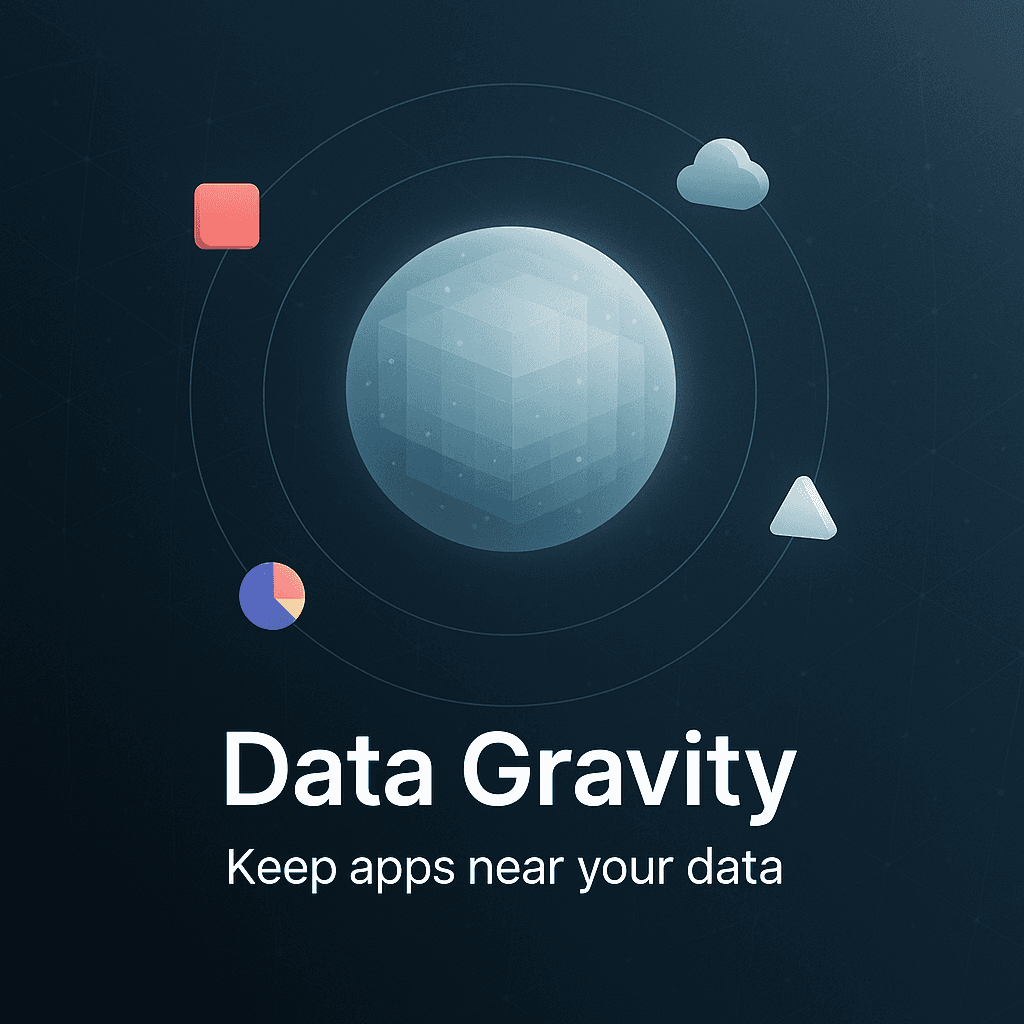
That pull has a name. Data gravity.
Once you see it, you can’t unsee it. And if you’re building modern apps, especially anything data hungry, understanding this idea can save you a lot of money, a lot of latency, and a lot of late night “why is this so slow” debugging.
What “data gravity” actually means (without the fluffy definition)
Data gravity is the idea that as data grows in size and importance, it attracts applications and services to move closer to it.
Because moving data is annoying. It takes time. It costs money. It introduces risk. It introduces weird failure modes. It makes your architecture… kind of fragile.
So instead of constantly shuttling data to your app, you flip it around.
You bring the app to the data.
That could mean:
- Running compute in the same cloud region as your database
- Deploying analytics jobs in the same platform where your data lake lives
- Keeping ML training near the feature store
- Avoiding cross cloud reads unless you have a very good reason
- Designing services so the “chatty” ones sit next to the datastore they hammer all day
And yes, sometimes it even means reorganizing teams. Because the “ownership” of data tends to become a gravity well too. More on that later.
Why this happens (and why it keeps getting worse)
A decade ago, lots of apps were smaller. Data was smaller. Expectations were lower. You could get away with a database here and a server there.
Now:
- Data volumes are bigger.
- Apps are more distributed.
- Users expect instant everything.
- We do more analytics, more personalization, more real time features.
- AI workloads are basically “feed me data” machines.
So the cost of distance shows up faster.
Distance is not just miles. It’s hops. It’s network boundaries. It’s cloud egress fees. It’s security controls. It’s retries. It’s serialization overhead. It’s queue backlogs. It’s timeouts.
In other words, distance becomes a product problem.
The hidden tax of putting apps far from data
Let’s get concrete. What actually goes wrong when your app lives far from its data?
1. Latency stacks up in ugly ways
One request across a region might not look terrible. But apps rarely make one request.
They make a bunch.
A user loads a page, your backend calls user service, calls billing service, calls recommendations service, each of those hits storage, some of it is cross region, some is cross VPC, some goes through a gateway.
Now you have 20 network trips instead of 2.
That is where “it worked locally” goes to die.
2. Reliability gets worse, not better
People sometimes assume multi region or multi cloud automatically increases reliability.
It can, but only if you design it carefully.
If your app depends on remote data, then every network issue becomes a partial outage. And partial outages are the worst because they’re inconsistent. Some users fail. Some succeed. Your monitoring lights up but nothing is “down down”.
Also, when you have data flowing across boundaries, you get fun things like:
- replication lag
- split brain scenarios
- inconsistent reads
- queues backing up
- “eventually consistent” turning into “eventually never”
3. Cost grows quietly until it’s suddenly a crisis
Cloud providers love charging for moving data out.
And it’s not just egress. It’s also:
- inter region transfer
- NAT gateway charges
- load balancer processing
- private link style connectivity
- logging and monitoring data shipped across accounts
At first, it’s pennies. Then the app scales. Then it’s “why is networking 28 percent of our bill”.
Data gravity is one of the reasons those bills become weird.
4. Security and compliance gets harder
Every time data crosses a boundary, you need to control it.
- encryption in transit
- key management and rotation
- access policies
- audit logs
- data classification rules
- PII handling
- residency requirements
Keeping data local reduces the number of places it can leak. And it reduces the number of systems you have to prove are compliant.
5. Developer velocity slows down
This one is subtle, but it’s real.
When the data is “over there”, developers spend time dealing with:
- VPNs or special access paths
- flaky dev environments due to remote dependencies
- slower integration tests
- debugging distributed timeouts
- complicated mocks because real data is too slow to reach
So teams start avoiding changes. Or they duplicate data to move faster. That duplication then creates new problems.
Gravity creates more gravity.
A simple way to spot data gravity in your own stack
If you’re not sure whether this applies to you, here are a few signs.
- Your architecture diagram has lots of arrows crossing regions or cloud boundaries.
- You have “data sync jobs” that exist mostly to keep the app functioning.
- You have caches everywhere because the real data store is too far away.
- Your app performance depends on network conditions more than CPU or memory.
- You’re paying noticeable monthly costs for data transfer.
- You have multiple “sources of truth” because one system couldn’t keep up.
If you read that list and felt slightly uncomfortable, yeah. You probably have a gravity issue.
“So should I always move the app to the data?”
Mostly yes. But not blindly.
Sometimes you can’t. Sometimes regulations force data to stay in a geography but your users are global. Sometimes you’re mid migration. Sometimes you’re integrating with a SaaS provider where the data is locked in their platform. Sometimes you have genuine disaster recovery reasons to keep secondary systems far away.
The point is not “everything in one place forever”.
The point is: minimize unnecessary distance between the hottest compute and the hottest data.
Hot means “accessed frequently and latency sensitive”. Not “important in a philosophical way”.
The practical options you actually have
When people talk about data gravity, it can sound like a big infrastructure philosophy thing.
But day to day, you solve it with pretty practical choices.
Option 1: Put compute in the same region as the primary datastore
This is the cleanest one.
If your main database is in us-east-1, don’t run your main API in us-west-2 unless you have a serious reason.
Same region reduces latency, simplifies networking, and cuts a lot of transfer costs. You can still do global user traffic with edge routing, CDNs, and regional replicas, but your core read write path should be tight.
Option 2: Use read replicas and regionalization (carefully)
If your users are global, you can push data outward instead of pulling compute inward.
- write to a primary region
- replicate read only to other regions
- run read heavy services near those replicas
This works well for content feeds, catalogs, profiles, anything where reads dominate and staleness is acceptable for a short period.
But you need to be honest about your consistency needs. Because “just use replicas” becomes painful when you suddenly need strongly consistent reads for something like payments or inventory.
Option 3: Bring analytics to the data, not the other way around
This is where a lot of teams mess up.
They dump raw logs into a data lake in one place. Then they export huge chunks to another platform to run analysis. Or they pull it into a BI tool by copying entire tables nightly.
If your data lives in BigQuery, Snowflake, Redshift, Databricks, whatever, usually the best move is:
- run transformation jobs there
- run queries there
- publish smaller, curated outputs elsewhere
Move results, not raw data.
Option 4: Use event driven patterns to avoid chatty cross boundary calls
Sometimes you can’t co locate services. Fine.
At least stop making them talk constantly.
Replace synchronous “call remote service, wait, call again” flows with:
- events
- queues
- async workflows
- materialized views
- local projections of remote state
This reduces round trips. And it makes failures less user visible.
It does introduce eventual consistency. Which you then have to design for. But for many product areas, it’s a great trade.
Option 5: Cache strategically, but don’t use caching as denial
Caching is useful. It is not a cure for a broken layout.
If you need six layers of cache because your database is far away, you’re basically paying complexity tax to avoid facing gravity.
Use caches for:
- hot reads
- rate limiting
- computed aggregates
- session and short lived state
Not as a permanent band aid for “our app and data are divorced”.
Data gravity vs vendor lock in (the uncomfortable part)
Here’s the tension.
Moving apps closer to data often means committing to the platform where the data lives. And that can feel like lock in.
Sometimes it is lock in.
But the thing is, you’re already locked in by physics and economics, even if you pretend you aren’t. If your data is 200 TB in one warehouse, moving it out is not a weekend project. Your cloud provider knows this. Your architecture knows this.
So the more practical mindset is:
- Accept that some gravity is inevitable.
- Decide where you want the gravity well to be.
- Design escape hatches for the parts that matter most.
Escape hatches could mean:
- keeping data in open formats (Parquet, Avro)
- maintaining well defined data contracts
- using CDC pipelines that can feed a secondary system
- avoiding proprietary features in the most critical layers
- documenting migration paths before you need them
You’re not trying to be “cloud neutral” in every single component. That is expensive.
You’re trying to avoid being trapped with no options.
The human side of data gravity (teams and ownership)
This is the part nobody puts in the architecture diagram.
Data gravity also pulls people. And roadmaps.
If one team owns the main dataset, every other team starts depending on them. Requests pile up. Priorities clash. Everyone wants “just one more column” or “a quick export” or “can you backfill the last two years”.
Then that team becomes a bottleneck. Not because they are bad. Because gravity concentrates demand.
A few ways to reduce the organizational gravity pain:
- Treat data products like products. With SLAs, schemas, versioning.
- Build self serve access patterns, not manual ticket based pipelines.
- Use domain oriented ownership where it makes sense, not one central team for everything.
- Invest in documentation. Seriously. Half the “data requests” are just confusion.
If your app teams can safely and quickly get the data they need, they are less likely to create shadow copies. Shadow copies are how data sprawl begins.
A quick example (the one I see all the time)
Imagine this setup:
- Web app deployed in Region A because that’s where the engineers started.
- Database in Region B because managed DB was cheaper there, or because someone clicked the wrong default.
- Analytics warehouse in Region C because the data team chose it.
- Object storage in Region D because backups and logs ended up there.
Now every user request may touch:
- Region A compute
- Region B transactional reads
- Region C feature lookup or recommendation query
- Region D media or documents
Even if each hop is “only” 60 to 100 ms, you are stacking latency like pancakes. Then you try to fix it with caches, and now invalidation becomes your new hobby. Then you add background sync jobs, and now you have data drift.
The fix is usually not one magic thing. It’s a re center.
Pick where the primary data lives. Then place the highest traffic compute next to it. Then decide what data should be replicated outward, and what should stay centralized.
You’re designing around gravity, instead of fighting it.
When it actually makes sense to keep apps far from data
There are real cases where distance is acceptable, or even required.
- Edge compute: small logic near users, data stays centralized. Works when the edge logic is lightweight and the data access is minimal or cached.
- Regulatory constraints: data must stay in country, but app experiences are global. Then you replicate compute or use regional partitions.
- SaaS data silos: your CRM data lives in a SaaS vendor. You don’t get to move it. So you integrate and minimize pulls, and you store derived data locally.
- Disaster recovery: you keep a secondary far away. But your primary app should still be near the primary data. DR is not your everyday hot path.
The rule is not “never cross boundaries”.
It’s “don’t make your core path depend on crossing boundaries all the time”.
How to apply this when you’re planning a new system
If you’re starting fresh, this is the simplest checklist I know.
- Identify your system of record. Where does the truth live.
- Put your main compute near it. Same region, same network, ideally same platform.
- Design for locality. Avoid chatty service calls that require remote reads.
- Replicate outward only what you need. Prefer projections and aggregates.
- Measure transfer costs early. Put budgets and alerts on data egress.
- Plan for growth. Today’s 200 GB becomes tomorrow’s 20 TB.
- Keep an exit strategy for critical data. Open formats, clear contracts, portable pipelines.
None of this needs to be perfect. It just needs to be intentional.
Wrapping it up
Data gravity is not some trendy term. It’s basically a warning label.
As your data grows, it will pull your architecture toward it. If you fight that pull, you pay in latency, reliability, cost, security complexity, and developer sanity.
So if you take one thing from this, take this:
Put the most chatty parts of your app close to the data they touch the most.
Then replicate and cache with purpose, not panic.
FAQs (Frequently Asked Questions)
What is data gravity and why does it matter in modern app development?
Data gravity refers to the phenomenon where as data grows in size and importance, it attracts applications and services to move closer to it. This matters because moving data around is costly, slow, and introduces risks, so bringing compute closer to the data improves performance, reduces latency, and lowers costs in modern, data-hungry applications.
How does data gravity impact app performance and architecture?
Data gravity causes apps that frequently access large or critical datasets to experience increased latency due to multiple network hops and cross-region calls. This can stack up delays, reduce reliability through partial outages, increase costs from data transfer fees, complicate security compliance, and slow developer velocity by making remote dependencies harder to manage.
Why is putting applications far from their data sources problematic?
When apps are located far from their data sources, each request may involve multiple network trips across regions or cloud boundaries, leading to higher latency and less reliable performance. It also increases cloud egress costs, complicates security controls like encryption and access policies, and makes debugging and development slower due to flaky environments and complex mocks.
What are some signs that my system is suffering from data gravity issues?
Signs include architecture diagrams with many cross-region or cross-cloud arrows; reliance on data synchronization jobs; widespread use of caches because the main datastore is too distant; app performance hinging more on network conditions than CPU or memory; noticeable monthly charges for data transfer; and multiple sources of truth due to system lag or inconsistency.
How can I optimize my infrastructure considering data gravity principles?
To optimize for data gravity, bring your compute resources closer to your data by running services in the same cloud region as databases or feature stores, deploying analytics jobs near your data lakes, avoiding unnecessary cross-cloud reads, designing chatty services adjacent to their datastores, and even reorganizing teams around data ownership to reduce latency and cost while improving reliability.
Does moving apps closer to their data always solve performance problems?
Mostly yes. Moving applications closer to their primary datasets minimizes costly and risky data movement across networks. While not a silver bullet for all issues, this approach significantly reduces latency, improves reliability by lowering partial outages caused by network failures, cuts down unexpected cloud egress fees, simplifies security compliance, and enhances developer productivity by reducing remote dependency complexities.


