
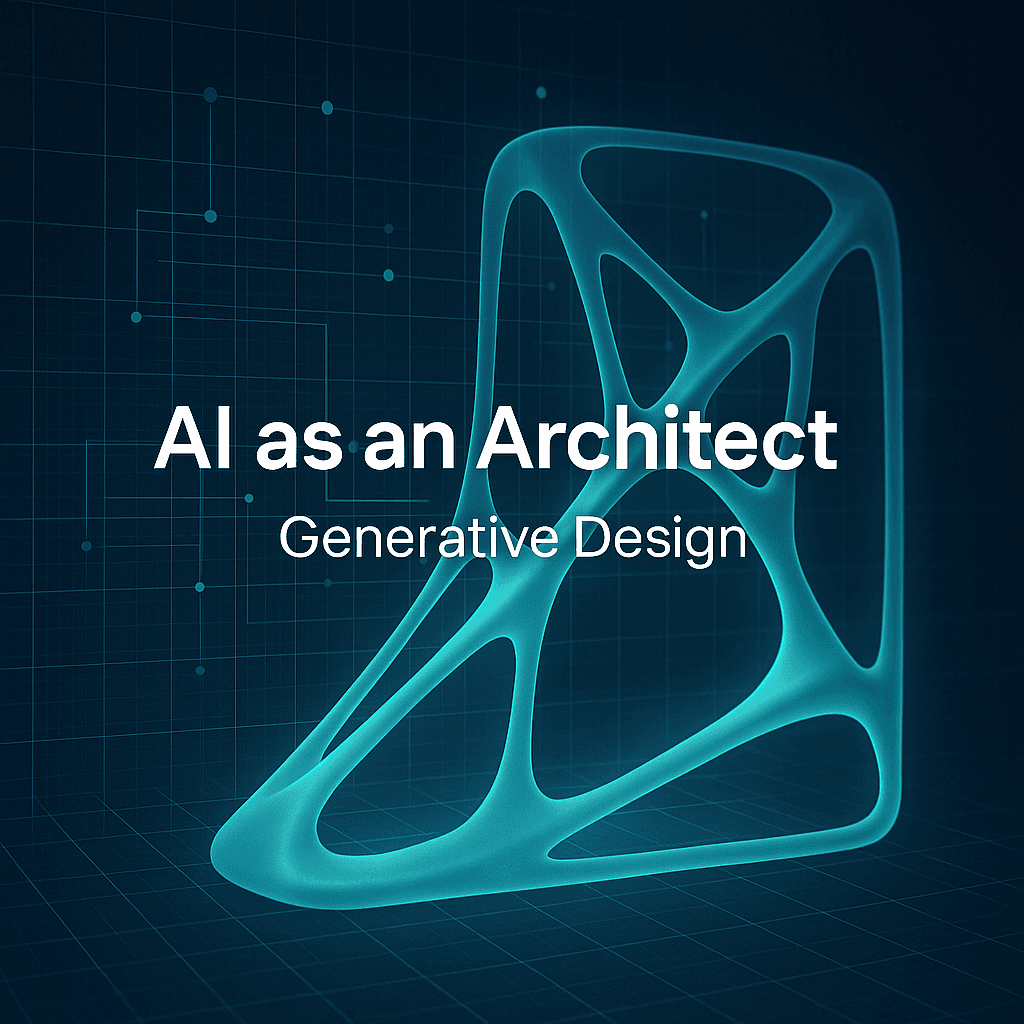

Negotiating with constraints. With timelines. With “we already promised this feature.” With a factory that can’t do that bend radius. With a battery that eats the whole enclosure. With legal. With physics. With the fact that the CAD file is starting to feel like a house of cards.
This is where generative design starts to feel less like a shiny AI thing and more like, oh. This might actually help.
Not in a “press button, get perfect product” way. More like an architect with a very weird superpower. It can try a thousand layouts while you are still staring at one. It can surface options you would not have drawn. And it can do it while respecting the rules you feed it, which is the part people skip over.
So. Let’s talk about AI as an architect. Not as an artist. Not as a copywriter. As a constraint driven designer that can explore.
What “generative design” actually means (in product terms)
Generative design is basically this:
You define the goals and the constraints. The system generates many possible solutions. You evaluate, refine, and iterate.
That’s it. That’s the loop.
The “AI” part can mean a few things depending on the tool. Sometimes it is optimization algorithms. Sometimes it is ML models trained on geometry. Sometimes it is a hybrid. But the vibe is consistent.
You are not drawing one solution. You are describing the problem, and then selecting from solution space.
If you are used to classic product design workflows, this can feel like giving up control. It isn’t. It’s shifting where your control sits.
Instead of controlling every line, you control the rules. Materials. Load cases. Manufacturing method. Weight targets. Cost targets. Safety factors. Keep out zones. Connection points. Ergonomics requirements. Brand constraints even.
And yes, you can also ruin everything with bad constraints. We will get to that.
Why this matters now (and why it’s not just for aerospace)
Generative design has been around in serious engineering for a while, especially in places where every gram matters. Aerospace. Motorsports. High performance robotics.
But it is creeping into normal product work because a few things happened at once:
- Compute got cheaper.
- Tools got friendlier.
- Manufacturing methods got more flexible, especially additive manufacturing and advanced CNC.
- Teams are under pressure to ship faster, with fewer prototypes.
And also, quietly, products got more complicated. Even “simple” products have antennas, sensors, heat issues, sustainability requirements, and supply chain constraints baked in. So exploration matters more.
Generative design is good at exploration. Like annoyingly good.
The best way to think about it: AI does the searching, you do the deciding
A human designer is great at taste, context, and tradeoffs that aren’t written down. A system is great at brute force search inside clearly defined rules.
So the win is not “replace the designer.”
The win is:
- Let the system generate 200 plausible structural brackets.
- Then have a human pick the 5 that align with assembly, serviceability, cost, and aesthetics.
- Then iterate.
It’s architecture. You are making decisions about the space, the system, the experience. The AI is more like an army of interns that never sleeps and doesn’t get bored trying variation #143.
Where generative design actually improves products
Here are the areas where I’ve seen it make real, measurable differences. Not vague “innovation” talk.
1. Lighter parts without the “hope and pray” phase
If you are designing a wearable, a drone, a handheld device, even a mounting system inside an appliance, weight tends to creep. Someone adds a rib. Someone adds a boss. Someone thickens a wall “just to be safe.”
Generative design flips this. You start from loads and safety factor and ask: what’s the minimum material needed?
You often get weird organic forms, sure. But even if you don’t ship that exact geometry, it teaches you where material matters and where it doesn’t.
And that insight survives translation into manufacturable shapes.
2. Stronger parts in the places that crack first
Traditional design often fails in the corners. Stress concentrations. Sharp transitions. Thin wall meets thick wall. Screw boss too close to an edge.
Generative systems don’t magically eliminate bad decisions, but they tend to distribute material along force paths. It’s like seeing the “load flow” made visible.
This can reduce those late stage surprises where testing suddenly finds the weak link. Or at least, it gives you a better starting point before you build the first prototypes.
3. Faster early phase iteration
This is the part teams underestimate.
The early phase is where you should explore widely. But in real life, teams explore narrowly because exploration is expensive. CAD time. Simulation time. Review time.
Generative design can compress that phase.
Instead of debating two bracket concepts in a meeting, you can generate twenty, filter by weight and deflection, and walk into the meeting with options.
Not endless options. Good options.
4. Better thermal and airflow layouts (when paired with simulation)
Not all generative design is structural. Some workflows connect to computational fluid dynamics and thermal simulations.
If you design enclosures, electronics housings, anything with fans or vents or heat sinks, you know how much trial and error happens. You can use generative approaches to explore channel geometries, vent patterns, internal baffles.
Again, you will still want an engineer to validate. But it can reveal patterns you wouldn’t intuit.
5. Designing for the manufacturing method you actually have
This one is big. And it is also where teams mess up.
Generative design is not automatically “3D printing design.” It can be constrained for CNC, casting, injection molding, sheet metal.
If you tell it the manufacturing constraints early, you get solutions that are closer to reality.
If you don’t, you get a beautiful alien bone structure that no one can make at scale without crying.
The workflow: how to use AI like an architect, not a gambler
Here is a practical workflow that works for product teams. Even small teams.
Step 1: Write the design brief as constraints, not vibes
“Make it strong and light” is a vibe.
Constraints look like:
- Material options: 6061 aluminum, PA12, stainless
- Max mass: 120g
- Min safety factor: 2.0
- Load cases: 300N in direction X, torque of Y, drop impact assumptions
- Keep out zones: battery volume, PCB volume, cable routing
- Attachment points: these holes must exist, these interfaces are fixed
- Manufacturing: 3 axis CNC only, no undercuts, minimum tool radius 3mm
- or
- SLS printing, min wall thickness 1.5mm, no enclosed powder traps
The clearer this is, the more useful the outputs will be.
Step 2: Generate broadly, but score narrowly
Run multiple generations with different priorities.
One run optimized for minimum mass. One for minimum deflection. One for cost proxy (like volume and complexity). One that keeps geometry more compact for packaging.
Then score them. Create a simple matrix.
- Weight
- Deflection
- Estimated cost
- Assembly friendliness
- Serviceability
- Aesthetic fit (yes, include it)
- Risk
You are not picking “the best” design. You are picking the best candidate for your product reality.
Step 3: Translate the chosen concept into manufacturable CAD
This is where humans shine.
Most generative output needs smoothing, simplification, fillets, draft angles, proper wall thickness, standardized fasteners, tolerances. That is not optional. That is the job.
You can also hybridize. Keep the load bearing structure from the generative result, but wrap it in a cleaner industrial design language.
Step 4: Validate with simulation and physical testing anyway
Generative design is not a replacement for validation. Treat it as a better ideation engine.
Do the FEA. Do the tolerance stack. Print a prototype. Break it. Learn.
If the AI gave you a design that is “optimal” under the assumptions, and your assumptions were wrong, then the result is wrong. Simple.
Step 5: Iterate constraints, not just geometry
This is the mindset shift.
When something fails, don’t only tweak the shape. Ask which constraint was missing.
- Did you forget a load case?
- Did you assume the wrong material properties?
- Did you ignore fatigue?
- Did you ignore creep?
- Did you ignore how a user actually grabs the product?
You improve the rules. Then regenerate.
That’s the architect part. You keep refining the building code.
Common mistakes (and they’re surprisingly human)
Mistake 1: Garbage constraints in, garbage geometry out
If you are vague, the system will be confidently vague back, just in shape form.
Teams sometimes rush through constraint setup because it feels like paperwork. But it’s the whole thing. It’s like giving an architect the wrong plot size and then being shocked the house doesn’t fit.
Mistake 2: Falling in love with the weirdest option
Generative design often produces forms that look futuristic. People get attached to them.
But your supply chain does not care about futuristic. Your assembly line does not care either.
Pick what you can build, test, service, and support. Sometimes that means simplifying the cool shape. That’s not failure. That’s maturity.
Mistake 3: Using it too late
If you only bring generative design in after the product architecture is locked, it becomes a gimmick. “Let’s optimize this bracket.”
Which is fine, but limited.
The bigger wins come earlier. When packaging, mounting strategy, and system layout are still flexible.
Mistake 4: Treating it like creativity instead of engineering
This isn’t Midjourney for hardware. It’s closer to a search engine for design solutions under constraints.
If you want creativity, it can help, sure. But the value comes from measurable improvements. Strength, weight, thermal performance, material use, part count reduction.
A realistic example: redesigning an internal bracket
Imagine a handheld scanner device. Inside, there’s a bracket holding the optics module and the PCB. The bracket must survive drops, maintain alignment, and not block airflow.
Classic approach: you model a bracket, add ribs, thicken walls, do FEA, repeat.
Generative approach:
- Fix interface points to the optics and enclosure.
- Define keep out zones for the battery and cable routing.
- Apply load cases for drop shock and torsion during handling.
- Set material to magnesium or aluminum.
- Optimize for minimum mass with max deflection threshold.
You get 30 candidates.
You pick 3.
You notice one design moves material away from the middle and creates a triangulated structure around the interface points. You wouldn’t have drawn that first. You translate it into a manufacturable shape, still with clean surfaces. You prototype. It passes drop testing with less weight.
That’s a better product. Not because AI “designed it.” Because you explored more of the solution space faster.
So is AI really the architect here?
Sort of. But the more accurate framing is:
AI is the generative engine. You are still the architect.
You decide what matters. You define the constraints. You choose the tradeoffs. You decide what’s manufacturable and what aligns with the product experience. You sign your name on the final thing.
Generative design just makes it harder to settle for the first decent idea.
And honestly, that’s the point.
Wrap up
If you want to use generative design for better products, don’t start with the tool. Start with the constraint brief.
Get clear about loads, materials, manufacturing, and what success means. Generate a lot. Score ruthlessly. Translate the best candidate into real CAD. Validate. Then iterate the rules.
That’s AI as an architect. Not replacing your taste. Not replacing your responsibility.
Just giving you more doors to open before you pick the one you walk through.
FAQs (Frequently Asked Questions)
What is generative design in product development?
Generative design is a process where you define goals and constraints, and the system generates multiple possible solutions. You then evaluate, refine, and iterate. It shifts control from drawing every detail to controlling the rules such as materials, load cases, manufacturing methods, and cost targets.
How does generative design help with product constraints and complexities?
Generative design acts like an architect with a superpower, exploring thousands of layouts while respecting your defined rules. It helps negotiate constraints like timelines, manufacturing limits, legal requirements, and physical laws by generating options you might not have drawn yourself.
Why is generative design becoming more accessible beyond aerospace and motorsports?
Generative design is spreading because computing power has become cheaper, tools are more user-friendly, manufacturing methods like additive manufacturing have advanced, and product complexity has increased. Teams also face pressure to ship faster with fewer prototypes, making exploration via generative design valuable.
How do humans and AI collaborate in generative design workflows?
AI excels at brute force search within clear rules, generating many plausible solutions. Human designers bring taste, context, and judgment about tradeoffs not easily captured in rules. The best workflow involves AI generating options while humans select and iterate based on assembly, serviceability, cost, and aesthetics.
In what ways does generative design improve product performance?
Generative design can create lighter parts by optimizing material use based on loads; strengthen components by distributing material along force paths to reduce stress concentrations; speed up early phase iteration by providing diverse high-quality options; enhance thermal and airflow layouts through integration with simulations; and tailor designs to actual manufacturing capabilities.
How important are constraints when using generative design tools?
Constraints are crucial because they define the problem space for the generative system. Good constraints ensure generated solutions meet real-world requirements like safety factors, manufacturability, ergonomics, brand guidelines, and cost targets. Poorly defined constraints can lead to suboptimal or unusable designs.


